Go to Android platform Display platforms icon
Go to Android platform Go to Windows platform Go to Mac platform Go to iOS platform
WPS Office icon

WPS Office

18.12.1
Dev Onboard
4.3 278 reviews
13.9 M downloads
security security

A complete office suite on your smartphone

Advertisement
Remove ads and more with Turbo
Advertisement
Remove ads and more with Turbo
Alberto García icon
Reviewed by
Alberto García
Developer’s Operations and Support
Alberto García is part of Uptodown's in-house Editorial Team. Translated by Uptodown Localization Team

WPS Office (formerly Kingsoft Office) is a full-featured office suite for Android tablets and handsets that lets you view, edit, and share text files directly on your device. With this suite, you can view and edit files in all types of formats, including DOC, DOCX, TXT, XLS, XLSX, PPT, PPTX, and PDF, so you can view and modify your Word, Excel, and PowerPoint documents, as well as Adobe Acrobat documents.

Key apps included in WPS Office

With WPS Office, you can create text documents with WPS Office Writer, manage data and perform calculations with WPS Office Spreadsheets, and design eye-catching presentations with WPS Office Presentation. You can view PDF files thanks to the PDF reader, but to edit or convert them to another format, you must purchase a paid WPS Office subscription.

Advertisement
Remove ads and more with Turbo

Writer: create and edit documents free of spelling errors

Writer is the document editor included with WPS Office. With this editor, you can write anything from simple notes to complex reports, with all the formatting features you might expect from an advanced text editor. You can change the font and font size, adjust margins, insert tables and images, and apply custom styles and formatting as well.

Writer also includes tools to check spelling and grammar, which can help you ensure your documents are error-free. You can also add comments or track your changes, facilitating team collaboration.

Spreadsheets: fill your spreadsheets with data

WPS Office Spreadsheets is ideal for managing data, performing calculations and generating reports through spreadsheets. WPS Office includes hundreds of different formulas to perform various calculations, ideal for quick results. Once you have obtained the desired results, you can represent your calculations in a variety of graphs. These graphs include bar charts, donut charts, area charts, line charts, and column charts.

Presentation: create presentations with slides

If you want to present an idea, content, or a project, Presentation lets you create professional-looking slides directly from your Android device. You can add text, images, graphics, animations, and transitions to bring your presentations to life. In addition, Presentation also supports PowerPoint formats, which means you can edit and play presentations created on other platforms without encountering any complications. Plus, you can project them directly from your Android, so you won't even need a PC.

PDF reader and editor

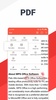
One of WPS Office's highlights is its integrated PDF reader and editor. You can view PDF files, edit them, add comments, highlight text, or even digitally sign them. However, most PDF-related features require WPS Pro, which is available through a monthly or annual subscription.

Collaboration tools and cloud storage

WPS Office makes collaborative work much easier thanks to its integration with cloud services, including Google Drive, Dropbox, and OneDrive. Simply access your documents anytime, anywhere, no matter what device you work from. Share documents with your colleagues or friends and collaborate in real-time, which is ideal for both academic and business projects. And as your content can be synchronized with the cloud, you can be sure that no work will be lost, as all files are automatically saved to your account.

Pre-designed templates

The app also allows you to use pre-designed templates for documents, spreadsheets, or presentations, saving you time when starting a new project quickly. Just tap the download button, and you can edit the template directly.

Other tools

Finally, WPS Office offers other functions beyond reading and editing documents. You can annotate non-editable documents, convert files to other formats, scan and digitize content using your camera or even translate entire documents.

Download the WPS Office APK and enjoy one of the most complete office suites available on Android.

Requirements (Latest version)

  • Android 5.0 or higher required

Information about WPS Office 18.12.1

Basic information

Developer Kingsoft Office Software
Category Personal
Rating +3
Languages English
47 more

Distribution model

Pricing Free
License Owner
Copyright © 2026 Kingsoft Office Software
Why is this app published on Uptodown? (More information)

Security and privacy

Required permissions
See 38 permissions
Certificate signature 552ebae6b47eace30258649adb8287b6
See security and antivirus report

Download info

Downloads 13,864,283
Date Sep 30, 2024
File type APK
Size 179.06 MB
SHA256 bc7515ab39bb7ebe8b70fb841a6c053cc0638f91317e389faaa13c9a27ab50c8

Technical details

Package Name cn.wps.moffice_eng
Advertisement
Remove ads and more with Turbo
Available for other platforms

Rate this App

Review the app
WPS Office icon

Rating

4.3
5
4
3
2
1
278 reviews

Comments

See more
engoday icon
engoday
2 months ago

Nice and amazing.

Like
1
bravegreengoat92893 icon
bravegreengoat92893
4 months ago

good

Like
Reply
proudpurplepigeon79806 icon
proudpurplepigeon79806
in 2025

Previously the app provided an easy access to the contents of the pdf and also pages, but new version doesn't have this possibility. You should check page by page, to reach to the place, where you loo...See more

4
Reply
wildvioletdeer54208 icon
wildvioletdeer54208
in 2025

Interesting application

3
Reply
youngwhitewatermelon3023 icon
youngwhitewatermelon3023
in 2025

It's great

6
Reply
grumpybluepeacock26310 icon
grumpybluepeacock26310
in 2025

An app I've used for a long time, it had some ads but not too many; it could be used fine. As an application, it's very good and complete—very secure in the cloud. It deserves 5*, but because of the a...See more

4
Reply
See more

It may interest you

Advertisement
Remove ads and more with Turbo
Microsoft Word icon
Official app for Microsoft Word on Android
Google Drive icon
Synchronize documents and files with Google Drive
Google Docs icon
Create and edit text documents on Android
Google Calendar icon
The best way to make sure you never forget a thing
ONLYOFFICE Documents icon
A comprehensive office productivity suite for Android
CS PDF icon
View and edit any file in PDF format
Office Editor icon
Edit your Office documents with ease
All PDF Reader icon
Versatile document reader and manager with offline access and secure features
WPS PDF- lite PDF Reader, Viewer & Editor Free icon
Read, edit, and convert your files to PDF
WPS Fill & Sign icon
Fill in and sign any PDF document
ChatGPT icon
The official ChatGPT app created by OpenAI
PayPal icon
Manage your money from your Android
Grok icon
Official app of the X AI
Google Gemini icon
Enjoy Google's AI on your device with its official app
Claude icon
Ai assistant for complex tasks and creative problem-solving
File Manager + icon
An incredible file manager with tons of options
Transfermóvil icon
Pay online in Cuba with ETECSA's app
Kotatsu icon
The easy way to read manga online